Buying streams, not software: why I replaced my IPTV reseller's app with a webpage
What an IPTV reseller's app actually is, why a self-hosted browser UI runs circles around it, and the small things that fall out: cross-device sync, less surveillance, a player that actually scales.
I pay an IPTV reseller about a hundred dollars a year. They give me an m3u URL, a username and password, and a panel host. In exchange I get several thousand live channels, a backlog of tens of thousands of movies, and a home for whatever they call their library this week.
The streams themselves are fine. The interface the reseller ships to consume them is a parade of bad choices. So I wrapped the whole thing in my own UI — built paired with Claude — and stopped using anyone else’s.
This is what a reseller’s app actually is, why a browser-based UI beats it on every axis I care about, and the things that quietly fall out the moment your viewing data lives on a server you control.
what the UI actually does
Before the why, the what. A handful of features carry most of the experience; the rest of the post is about why a webpage was the right shape to deliver them.
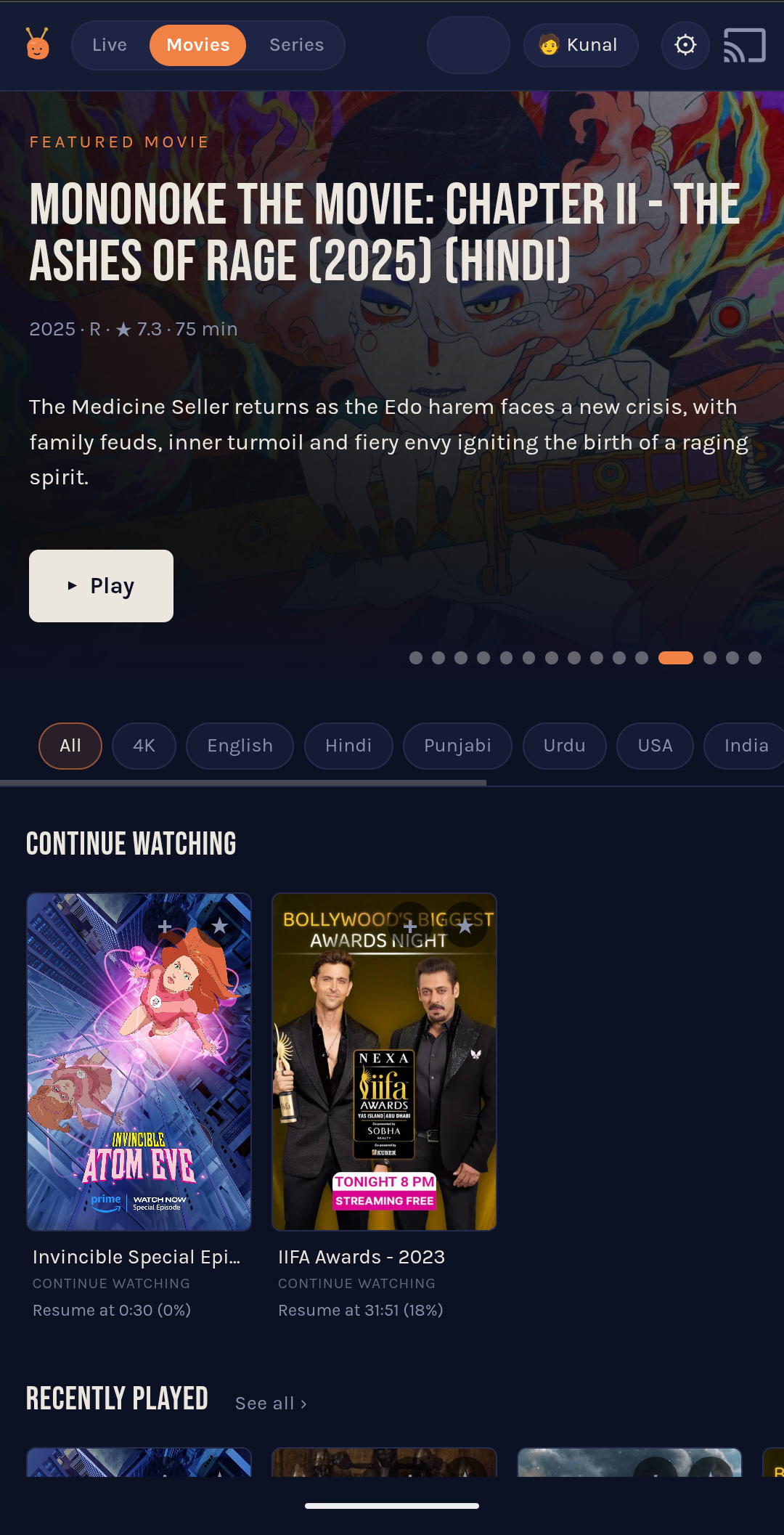
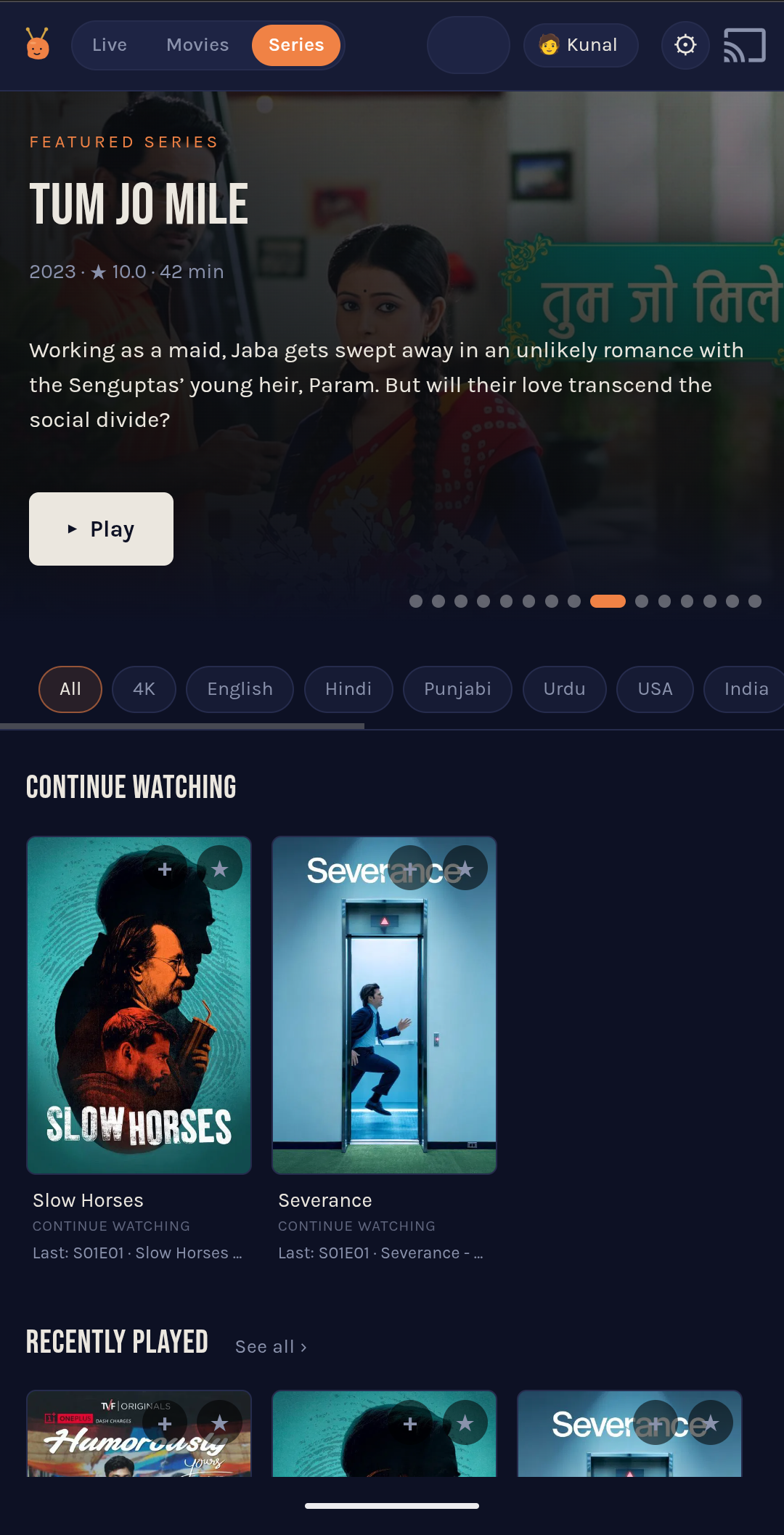
TMDB enrichment, deeply. Movies and series carry TMDB metadata — year, rating, runtime, synopsis, poster, backdrop, plus cast, directors, keywords, genres, original-language codes, belongs_to_collection, and the recommendations[] / similar[] lists. All cached on the server, all rendered alongside each stream. A rotating featured-title hero sits at the top of every catalog (the Mononoke card in the movies shot, Tum Jo Mile in the series one). Without this layer, the catalog is a wall of bare filenames; with it, it looks like something you’d actually browse — and every feature further down this list (search, More Like This rails, the kid-cert gate, faceted chips) is just the server reading another field off this same cache.
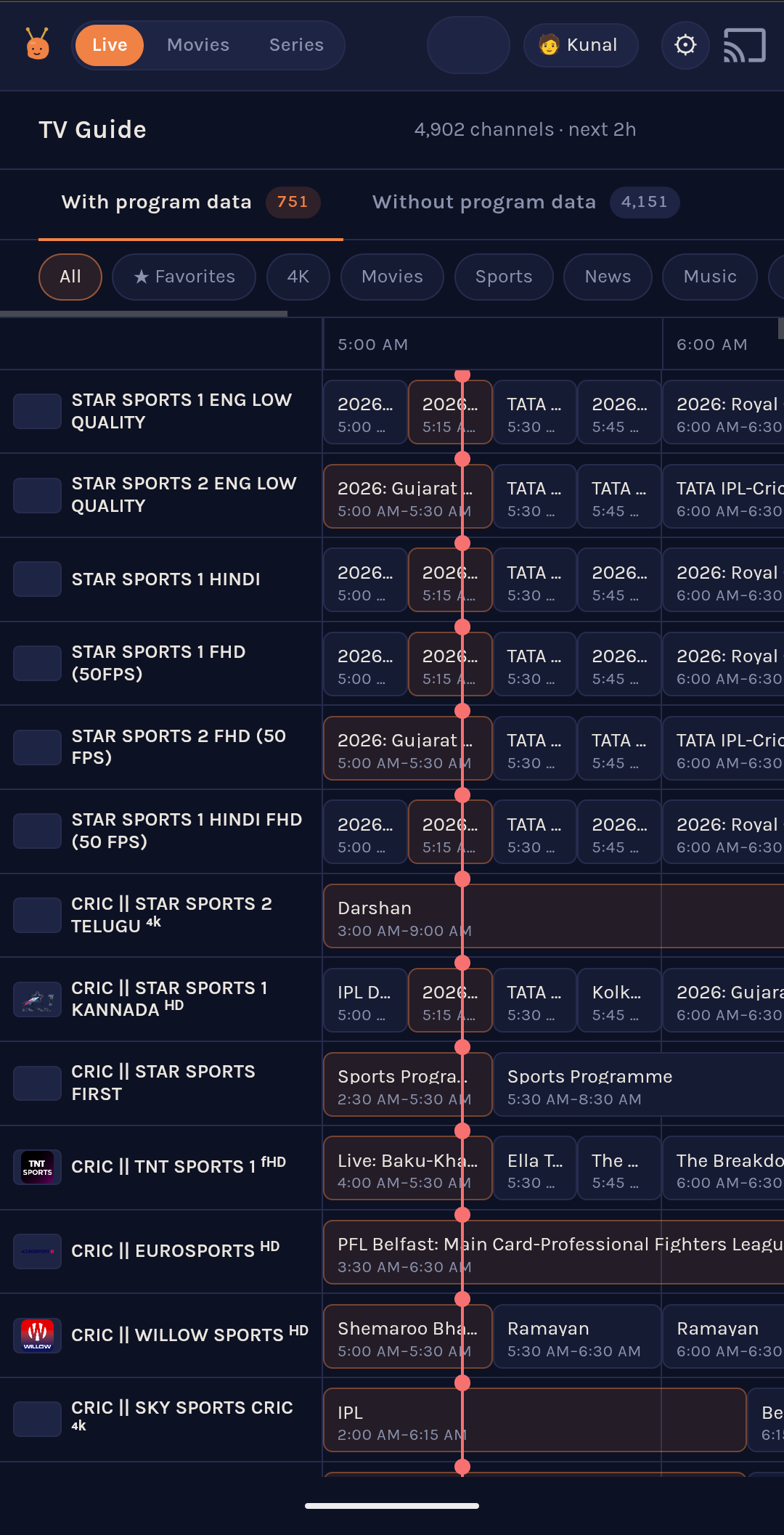
A real EPG. For the channels the panel hands back program data on — 751 of 4,802 in my install — the live tab shows a time-aligned grid with a “now” line tracking system time. The remaining 4,151 still play fine; they’re filtered into their own tab so the guide view doesn’t drown in empty rows.
Filter chips. Each catalog has a row of chips that narrow the view to a single slice — English, Hindi, Punjabi, Urdu, 4K, USA, India. One tap drops me from “8,500 channels” to “the few hundred I’d actually open right now.” Whatever doesn’t classify cleanly stays under “All.”
Search that understands the library. The search box reads each whitespace token as a possible facet — year, decade, genre, language, original-language code, or a free-text fragment — and AND-combines them against the TMDB-enriched catalog. Typing thriller ajay devgan resolves to genre = Thriller + actor = Ajay Devgn, because the cache has every film’s top-three cast list and director list pre-baked into the search index. Spelling slippage between “Devgan” and “Devgn” doesn’t drop the match — user tokens collapse to 4-char prefixes against the haystack. 2014 christopher nolan returns Interstellar, alone. tamil action 2010s returns the slice the panel’s flat search couldn’t have surfaced if you’d typed an essay. It works because everything is a facet on the same TMDB-cache row — the bullet above does most of the actual labour; this one is just the query parser on top.
Continue Watching and Recently Played. Both shelves are derived from the same server-side state file that powers cross-device sync (more on that below). Resume position is stored as a percentage, so movies, series, and live channels share one schema and one shelf component.
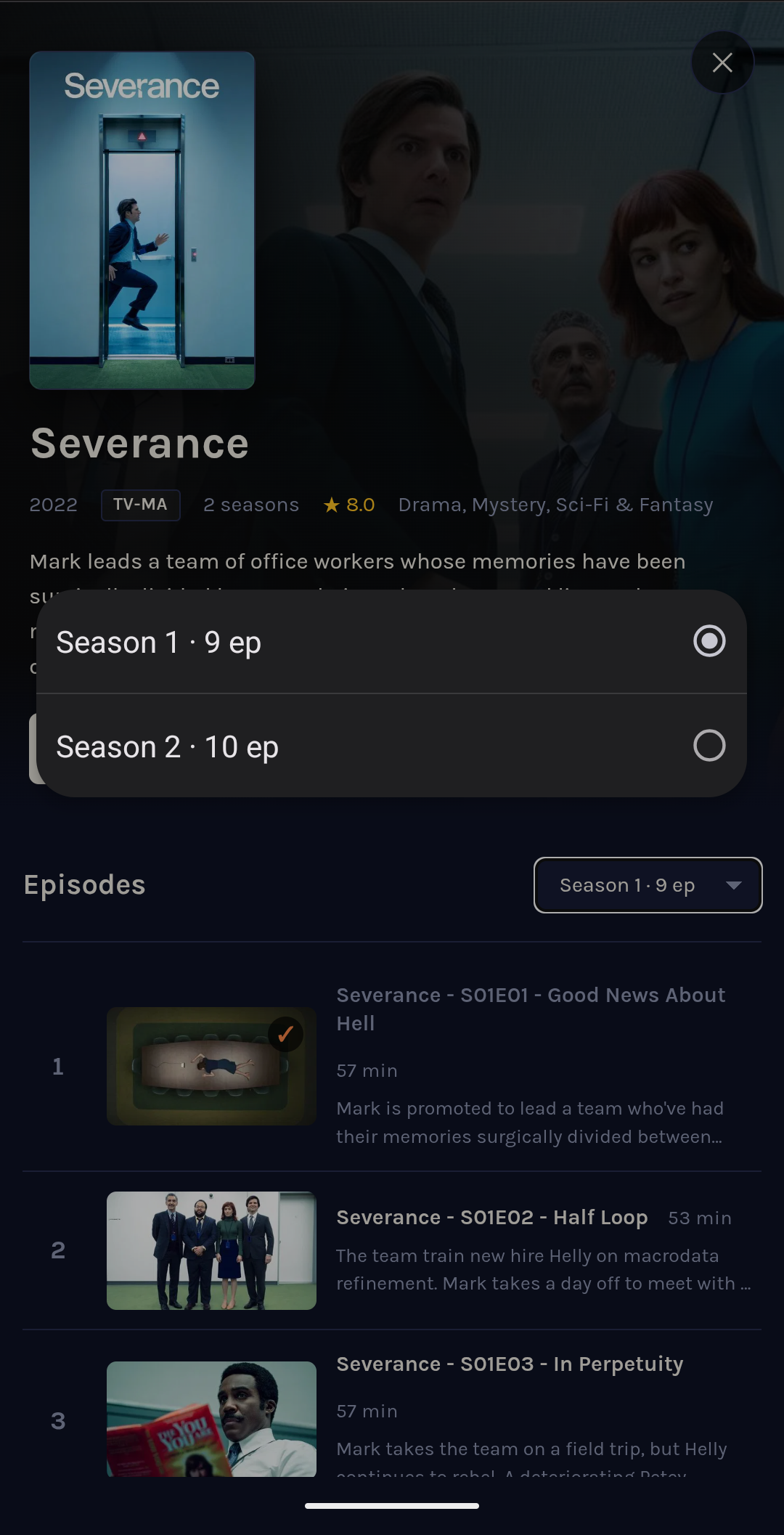
Per-episode metadata. Inside a series, every episode gets a still and a short synopsis from TMDB, with runtime from the panel. The season picker at the top remembers the last season you opened — Severance on the iPad doesn’t drop you back at Season 1 when you were halfway through Season 2 on the laptop.
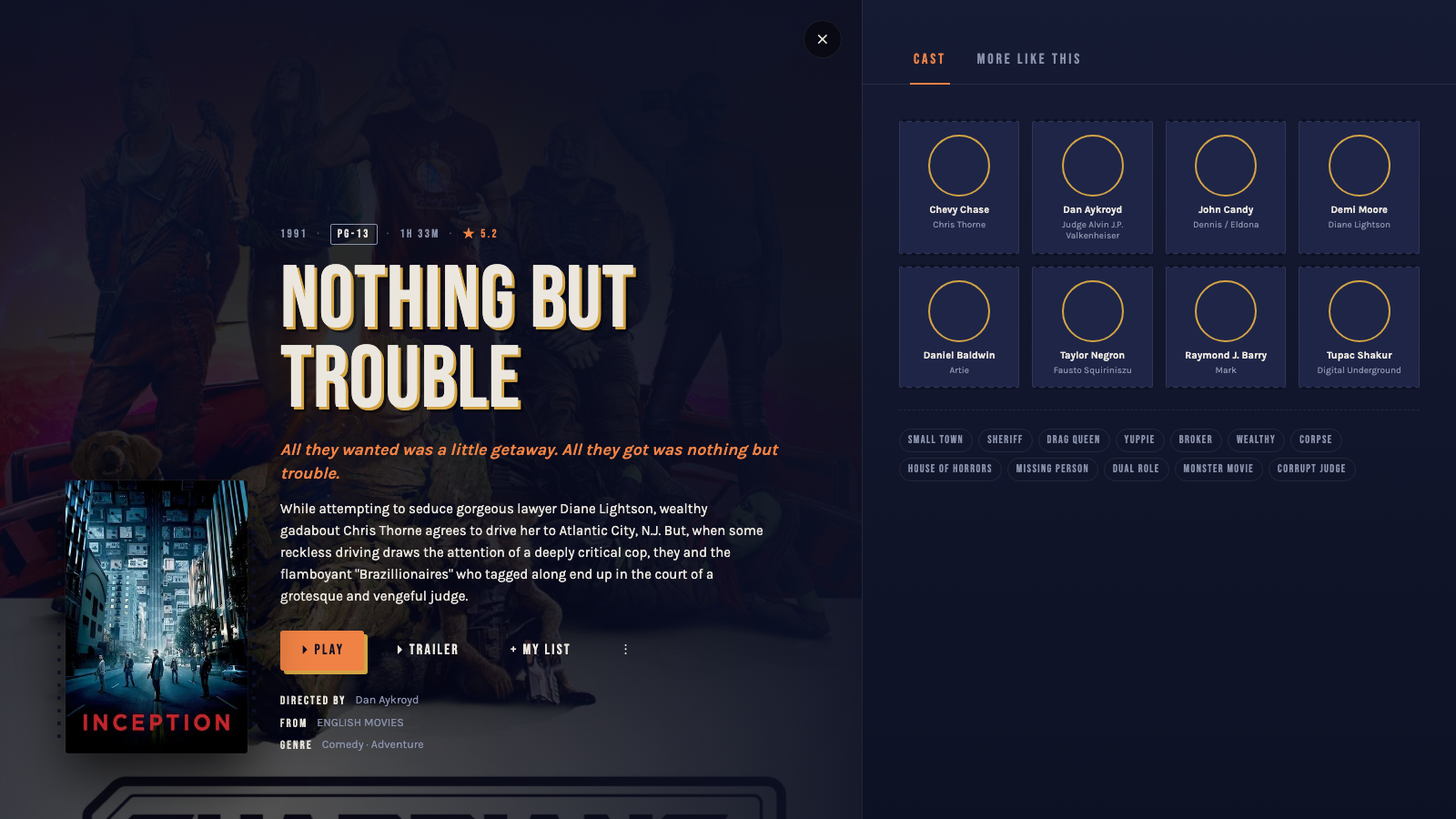
A detail page that uses the whole screen. Tap a movie or episode and the page splits in two. Left half is a backdrop-lit showcard — poster, title in marquee letters, plot, and the action row (Play / My List / Trailer / Download). Right half is a tabbed pane: Episodes (for series), More Like This, Cast. The recommendations come from TMDB’s recommendations[] / similar[] / belongs_to_collection / director fields, intersected with the local catalog so every tile is something the household can actually play. The cast portraits are clickable — tap one and you get that actor’s full filmography in the same shape. Nothing on the page scrolls vertically; rails inside the right pane scroll horizontally.
Profiles, and a real kid-safe mode. Five household members each get a portrait, their own Continue Watching shelf, their own My List. The kid profiles are the part I’m most quietly proud of. Each carries a birth year; the server reads TMDB’s MPAA + TV-rating fields on every catalog item and runs an age-tiered allow-list — G + TV-Y at any age, PG + TV-Y7 at 7+, PG-13 at 10+, TV-14 at 13+, R / TV-MA never. The filter fires on /api/home, /api/search, the More Like This rails, the cast filmography view — every server endpoint that hands tiles to a kid profile. A child can’t reach an adult title by deep-linking around the home page or by typing the title into search; the rated-out items simply aren’t in the response. (The household password lets a parent into the picker; locking adult profiles behind a parent-PIN is a separate piece of work I haven’t finished yet — filed it as an issue.) The whole thing piggybacks on the TMDB cache: no extra metadata pipeline, no manual labelling — just another field on the row.
Offline downloads. The phone client lets you save a movie or episode for offline play. The server runs the source through a 720p ffmpeg pipe on the way out, so the saved file lands at roughly 1 GB instead of the panel’s 4–5 GB native bitrate — plane / hotel wifi / outage friendly. Playback prefers the local file when it’s present; falls back to the panel when it isn’t.
Most of these are variations on a single pattern: cache the slow thing on the server, let the page be a thin view. The rest of this post is what that pattern is for.
what a reseller’s app actually is
Pay the reseller, get an m3u link or Xtream Codes credentials, and they recommend “an app.” That app is, at best, a generic Android skin that takes your credentials and renders a grid. At worst, it’s:
- A re-skin of an open-source player with Crashlytics, Facebook SDK, and three ad SDKs added on top.
- A sideload-only APK that asks for every storage permission you’ll grant.
- An iOS build that’s not on the App Store, requires a TestFlight invite, and disappears every 90 days.
- Or — most often — nothing. “Use VLC.”
Even when the player is fine, the catalog UX is invariably miserable: 8,500 channels in a flat list, search that doesn’t search names, no favorites that survive an app update, no concept of “where I left off.” The streams themselves are fine. The chrome around them is what you’re actually buying when you “buy an app,” and what you’re buying is bad.
what I wanted instead
A web browser. That was the whole north star.
If the UI is a webpage on a domain I control, then:
- Every device with a browser uses it. Laptop, tablet, phone, the kitchen Nest Hub, my parents’ house when they want a soccer match. No app installs, no per-platform builds, no TestFlight rotations.
- Casting just works (with footnotes — see below). Chrome’s Cast SDK loads from gstatic, the page is HTTPS, the picker shows up.
- I can read the source. All of it. There are no third-party SDKs phoning home; the only outbound calls from the page go to me for everything except the Cast SDK and hls.js, which both come from public CDNs I could host myself if I felt paranoid.
- Updates are a
git push. No app store review, no users-on-stale-versions problem.
The constraint I gave myself was no build step — vanilla JavaScript, hand-written CSS, hls.js + the Cast Web Sender via CDN. That’s a privacy-adjacent choice too: every file the browser fetches is one I can describe in a sentence.
the architecture, briefly
A small Express server sits in front of the panel’s JSON API. It:
- Caches catalog metadata (categories + streams) so 90% of UI clicks don’t touch the panel.
- Persists those indexes to disk so a container restart doesn’t tank the experience.
- Signs media URLs with HMAC so the proxy and transcode endpoints can be unauthenticated for the
<video>tag (Chromium doesn’t reliably reattach Basic Auth to media-segment fetches) without becoming an open relay. - Spawns ffmpeg on demand for channels that arrive as MPEG-2, which Chromium and the Default Cast Receiver both refuse to decode in 2026.
The frontend is a single HTML file, a single CSS file, a single JS file. ~1,000 lines each, no build pipeline, deploy = docker compose up.
the privacy posture
This is the part that surprises people who haven’t looked at IPTV apps recently. The privacy gain from self-hosting isn’t an abstraction; it’s a list of things that stop happening:
Your devices stop talking to the reseller directly. With the reseller’s app, every viewing device — phone, tablet, TV, sideloaded Fire Stick — opens its own connection to the panel. The reseller’s dashboard sees N clients with N device fingerprints. With this UI, only my VPS talks to the panel. The reseller sees one IP, one client, regular cadence. They don’t know how many people are watching, on what, where, or when each device joins.
Third-party SDKs stop running. No Crashlytics, no Google Analytics, no ad networks, no Facebook SDK. The page is mine; the only domains the browser touches besides my own are gstatic.com (Cast SDK) and jsdelivr (hls.js).
Watch history lives on disk, in plain JSON, on a box I own. data/last-played.json, data/user-state.json. Cat them, back them up, delete them, edit them. They’re not in a vendor’s database, they’re not joined to an advertising graph, they don’t get sold when the reseller’s domain quietly changes hands.
Stream URLs with embedded credentials never leave the server. Xtream Codes streams put the username and password in the URL path: panel.example.com/live/MY_USER/MY_PASS/29.m3u8. The reseller’s app exposes that URL to whatever’s hosting the player surface — the OS, browser history, screen-sharing, an extension that scrapes URLs out of pages. My proxy fetches the m3u8 server-side and rewrites every segment URI through itself with a fresh signature. The browser never sees the upstream URL.
I’m not pretending the panel is private — the reseller knows what subscription is being used and what stream IDs are being pulled. They’ve always known. The shift is that they no longer get a per-device, per-session, per-app-version fingerprint of every consumer in the household.
the surprising win: shared state on disk
The single nicest thing this project does, and the one I didn’t see coming when I started it, is that all viewing state lives on the server.
Last-played timestamp per channel and movie. Favorites per mode. Recents. A watched flag per series episode. Last-episode bookmark per series. Last-selected season per show. They all live in two JSON files in the container’s data volume, hydrated into the page on every load and PUT back to the server on every change.
This means:
- I open a movie on my laptop. Pause. Walk to the bedroom, open the same URL on the iPad. The “Last played 2m ago” tag is right there. Hit play and it picks up where I left off.
- I star a channel on my phone in the kitchen. Walk to the basement, open the page on the TV browser. The star is there.
- My family marks an episode watched. Mine the same library next morning. The “watched” indicator is consistent — they aren’t fighting over which device’s localStorage is the source of truth.
The reseller’s app doesn’t do this across vendors at all. Their own iOS and Android apps don’t sync state with each other. iptv-webui treats every device as a thin client over a single source of truth — which is the only model that actually makes sense for a single-household subscription.
The cost of building this was small. A data/user-state.json file, a single PUT endpoint on the server, hydration into state on bootstrap, a debounced PUT after every mutation. ~80 lines of code; an immediate quality-of-life jump.
the moment it felt right
Third week of using it: my wife asked where the live cricket was, on a phone, in a different room. I texted her the URL. She opened it. The category I’d been browsing on my laptop ten minutes earlier was already selected; the channel I’d been watching last night was at the top of recents. No app install, no login except the household-wide Basic Auth. She tapped, it played.
Casting hit a similar moment. Open the page on a laptop, click a channel, click cast, pick the Nest Hub. The transcoder the server spawns for live channels (because Chromecasts can’t decode MPEG-2) takes about 12 seconds to start producing segments, and then the Hub plays steadily. I never installed an app on the Hub. The Hub doesn’t know who my reseller is. Chrome handed the Hub a signed URL on my domain, the Hub fetched it, the bytes that came back were H.264 + AAC, the Hub played them. That’s the whole transaction.
a phone companion, when a browser isn’t enough
The web stays the canonical client. But a native Android phone app now runs on top of the same /api/* surface — Kotlin + Jetpack Compose. It exists because a browser can’t quite do everything: offline saves to disk, a real lockscreen player, system Cast picker integration. (A TV companion is in flight and not yet pretty enough to show off.)
The phone app is a thin client in the strict sense — the server still owns auth, profiles, indexes, TMDB enrichment, the kid filter, and (for downloads) the transcode pipe. The app is just the rendering layer. Same khouch_session + khouch_profile cookies the browser uses, persisted in DataStore via an OkHttp CookieJar. Favoriting a movie on the phone shows the star on the laptop next refresh; “Continue Watching” reflects whichever device played most recently; switching profiles on the phone, the browser picks the new profile up when you reload.
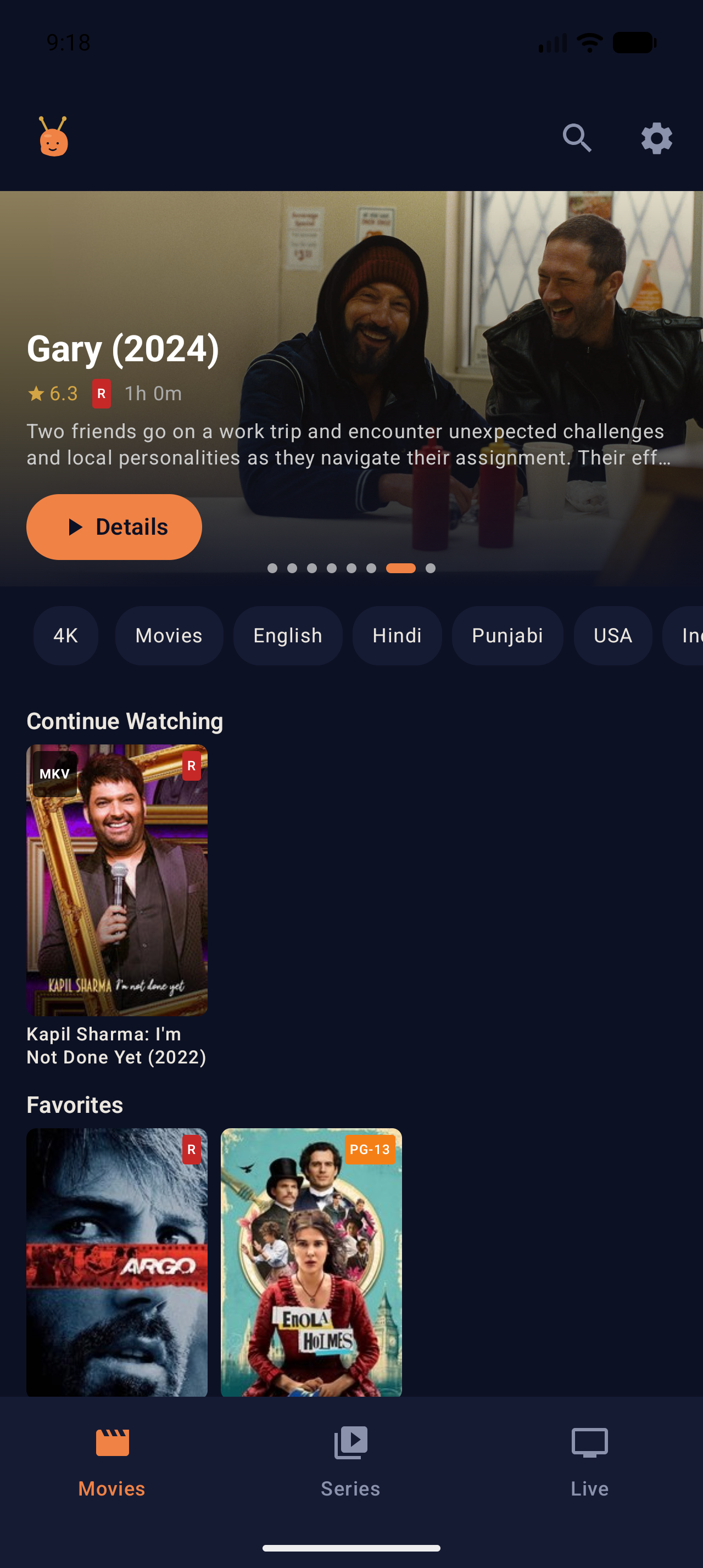 Phone home. Same hero, same chips, same shelves as the web — just shorter.
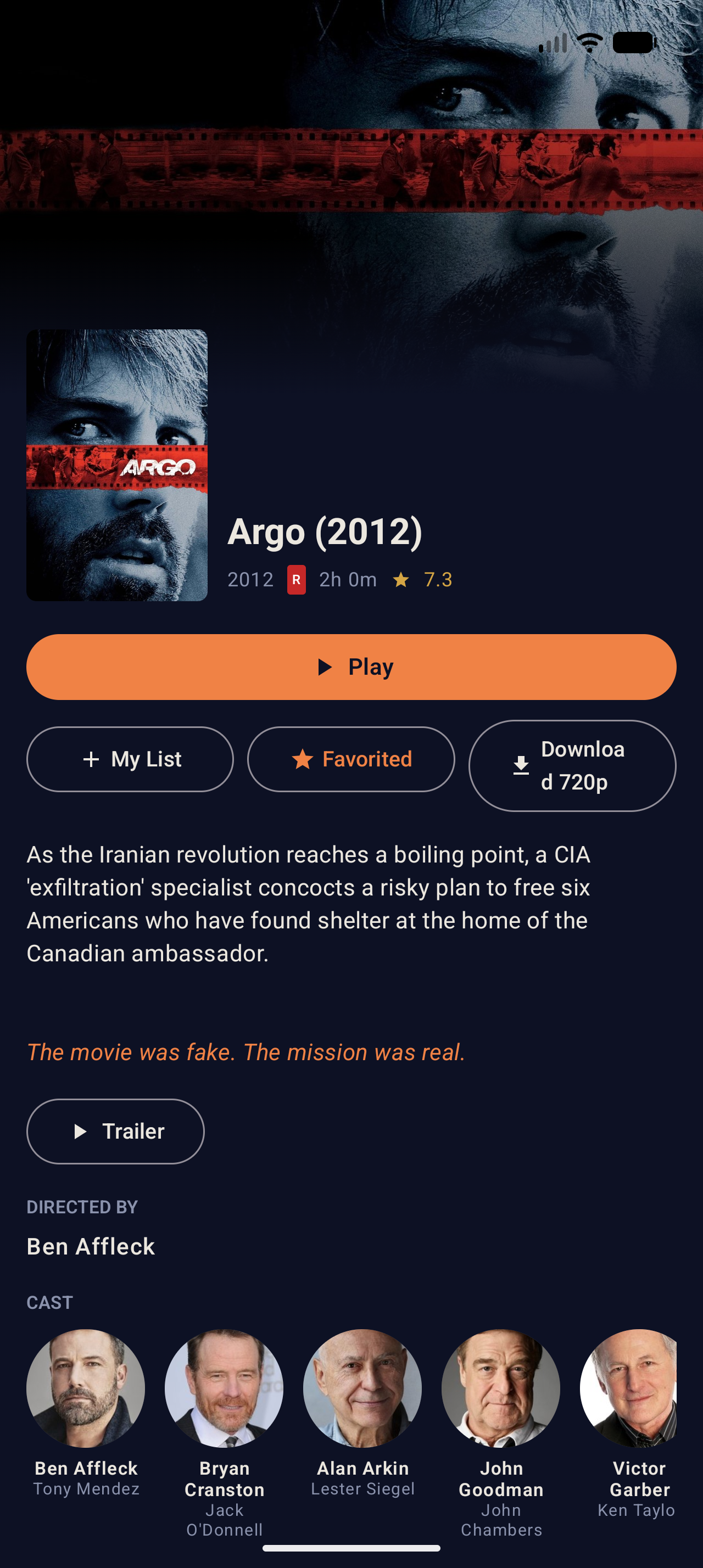 Phone detail. The “Download 720p” label is honest signage — saves go through the server’s transcode pipe, so the file is reliably 720p H.264 / AAC regardless of source.
Importantly: the native app isn’t required. The web client still works on Android — the phone browser renders the page fine. The app is there for the things browsers can’t quite do (background downloads via DownloadManager, system Cast notification, system PiP later), not as a replacement for the canonical surface.
what I’d do differently
Start with the proxy + signing layer, not as an afterthought. I built playback first, hit the Basic-Auth-credential-loop on <video>, and then added the HMAC scheme. If I were doing it over I’d have signed the proxy from day one — it’s the only thing that makes the rest of the privacy story coherent.
Persist user choices early. Favorites and recents lived in localStorage for the first few months. Anything that takes effort to curate should not live where a browser cache clear destroys it.
Don’t trust the panel’s response codes. The panel returns 200 OK for a body that says “auth: 0” because it’s busy. Treat upstream responses as untrusted shape, validate every time. (A whole story unto itself; that one’s coming next.)
the bigger lesson
The reseller’s app is the cheapest possible way for them to ship a product. They didn’t pick it because it’s good; they picked it because the alternative is funding real software development on top of a panel they’re already reselling for thin margin. Fine. Don’t use it.
A small Express server, a single HTML page, and an afternoon of design taste produce a household-scale media UI that’s dramatically better than the thing you’re handed. The technology is small. The privacy gains are not.